Snapseed QR Codes help you edit photos faster without changing settings again and again. If you edit many photos and want different styles without extra effort, Snapseed is an easy choice. On this website, you’ll find ready‑to‑use Snapseed presets made for different photo styles. Just scan a QR code, apply it in Snapseed, and get instant results. If you want clean edits, natural colors, or creative looks, you’ll find the right preset here.
Trending Snapseed QR Presets
These are the most used and popular Snapseed QR Codes right now. Users like them because they work well on different photos and lighting conditions. Swipe through the featured presets and open the one you like.
Browse Snapseed QR Codes by Editing Style
Snapseed QR Codes HD 4K | High‑Quality Photo Editing Presets
Portrait & Face Smooth Snapseed QR Codes Presets (HD & Natural Looks)
Snapseed QR Codes with Blur Background (DSLR‑Style & Natural Blur Presets)
Snapseed Cinematic QR Codes | Film‑Style & Moody Photo Presets
iPhone Snapseed QR Codes | iPhone‑Optimized Photo Editing Presets
Snapseed QR Codes for Bike & Car Photo Editing
Snapseed Editing Tools
One of the biggest reasons Snapseed is so popular is that it gives you professional editing tools without making the app feel complicated. Whether you’re fixing a quick selfie or editing a landscape, you can build an entire workflow using just a few tools. Some of the most useful editing tools include.
Tune Image
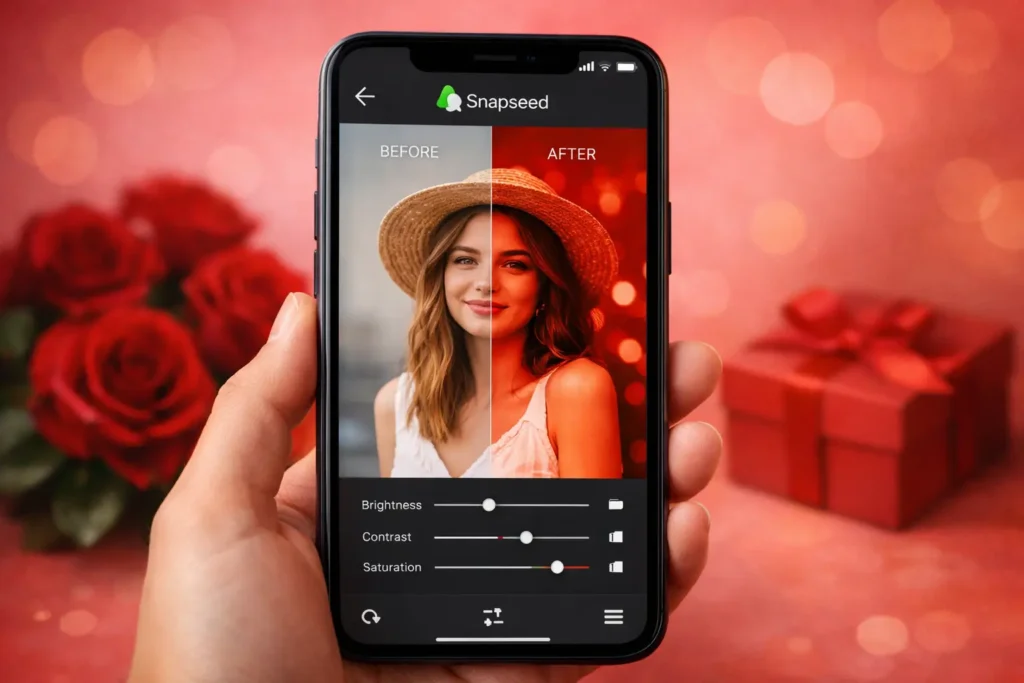
Adjust brightness, contrast, saturation, ambiance, highlights, shadows, and warmth.
Picture Details
Add structure and sharpening to make images look clearer
Curves
Control brightness and color with precision.
White Balance
Correct color temperature and unwanted color casts
Healing
Remove unwanted objects, spots, or distractions
Selective
Edit only specific parts of a photo without affecting the whole image.
Brush
Paint adjustments like exposure, temperature, or saturation onto selected areas.
Crop & Perspective
Improve composition and straighten distorted lines
Creative Tools
Lens Blur, HDR Scape, Drama, Vintage, Grainy Film, Glamour Glow, Double Exposure
How to Create your Snapseed QR Code
A Snapseed QR code is simply a saved editing preset. Instead of remembering every adjustment, you can save the edit as a QR code and apply the same look to another photo in seconds. Creating one inside Snapseed is straightforward:
- Edit your photo until you’re happy with the result.
- Open the QR Look option from the export menu.
- Create and save the QR code.
- Share it with others or use it again on future photos.
If you want more control, our Snapseed QR Code Generator lets you build presets directly on the web by adjusting editing values and generating a Snapseed-compatible QR code. Whether you’re creating presets for personal use, social media, or clients, QR codes make it much easier to keep your editing style consistent.
Benefits of Using Snapseed QR Codes
Editing every photo from scratch takes time. Snapseed QR codes help you apply the same editing style again and again without repeating every adjustment. Some of the biggest advantages include:
- Save time. Apply your favorite edit in seconds instead of rebuilding it every time.
- Keep a consistent style. Perfect for Instagram feeds, portfolios, and brand photography.
- Share edits easily. A single QR code can be scanned by anyone using Snapseed.
- Learn from other creators. Try different presets to understand how various editing styles are created.
- Create your own preset library. Save your best edits and reuse them whenever you need them.
- Works for many photography styles. Portraits, travel, food, landscapes, street photography, and more.
Remember that a QR code applies the editing settings—not the final result. Since every photo has different lighting, colors, and exposure, you may still need to make small adjustments after applying a preset.
Frequently Asked Questions
Final Words
Great editing doesn’t always require complicated tools. Sometimes, a few well-balanced adjustments are enough to completely change the feel of a photo. Snapseed QR codes make that process faster by letting you reuse editing styles instead of starting from scratch every time.
On this website, you’ll find a growing collection of free Snapseed QR codes, preset categories, editing resources, and tools to help you create consistent, high-quality edits with less effort. If you’re looking for a specific style or want to build your own preset, you’ll find everything in one place.
Explore the presets, try different editing styles, and keep experimenting. Every photo is different, and the best results often come from making small adjustments that suit the image in front of you.